Connect your environment
Build around Microsoft 365, Teams, SharePoint, and your business systems, with integrations scoped to your needs.
 PROCESS AUTOMATION

Turn disconnected tasks into connected business processes. We bring the business understanding, delivery expertise, and ongoing support. WEBCON brings the platform to make it happen.

Your people, processes, and systems.
Working better, together.
WEBCON is a low-code platform for building and managing business applications. Forms, workflows, documents, data, and reporting come together to help work move across departments.
SYNERGY turns that capability into solutions designed around your organization. We connect the technology to the way your people work, then help you adapt it as your needs change.
Why we work with WEBCONBuild around Microsoft 365, Teams, SharePoint, and your business systems, with integrations scoped to your needs.
Give people a clear view of responsibilities, progress, decisions, and the history behind each process.
Use WEBCON’s InstantChange™ technology to evolve applications as requirements develop, with changes reviewed and tested.
A focused first application can become the foundation for a much broader change. WEBCON brings people, data, documents, and systems into one managed process, then lets you build on that foundation.
A collaborative workshop turns a business problem into a prototype. Test the steps with process owners, surface exceptions early, and shape a useful first release around what you learn.
WEBCON’s InstantChange™ technology can apply process changes to running instances, including work already underway. SYNERGY helps you assess the impact, test the change, and manage its release.
New applications use the same platform for data, permissions, audit history, and process management. Connect purchasing to supplier onboarding, or employee onboarding to equipment requests.
Use real feedback, cycle times, and bottlenecks to decide what comes next. Department by department, build a connected set of applications with shared standards and clear ownership.
Automation needs to handle the decisions, handoffs, and waiting periods that happen in real work.
We identify a worthwhile starting point, deliver it with your team, and use the results to guide an achievable roadmap. Your people gain knowledge and confidence as the platform grows.
Start where the friction is. We design the forms, routing, business rules, integrations, and reporting that turn a recurring headache into a repeatable process.
Connect purchase requisitions, invoice and budget approvals, expense claims, and supporting documents. Route by value, department, or exception, and connect with finance systems where needed.
Coordinate HR, managers, IT, and facilities from hiring to departure. Extend the approach to time-off and travel requests, performance reviews, training, and equipment records.
Manage contract intake, reviews, approvals, and renewals alongside NDAs, policies, and other legal workflows. Connect document generation and electronic signatures where required, with a traceable decision history.
Coordinate internal requests, document control, service desks, risk registers, and fleet-related tasks. Give everyday work structured intake, assigned owners, deadlines, and escalation paths.
Coordinate policy reviews, evidence collection, exceptions, and corrective actions. Capture the records your reviewers need, with access aligned to responsibilities.
Connect information gathering, internal checks, approvals, and handoffs to delivery teams. Bring the right data into your CRM, ERP, or other systems through planned integrations.
Production order routing, quality checks, corrective and preventive actions, supplier audits, maintenance, and product changes.
Project workflows, subcontractor management, site documents, tenders, permits, approvals, and defect tracking.
Application intake, customer onboarding and KYC checks, review and approval workflows, complaints, and regulatory reporting preparation.
These are starting points. Your processes, rules, and priorities shape the solution.
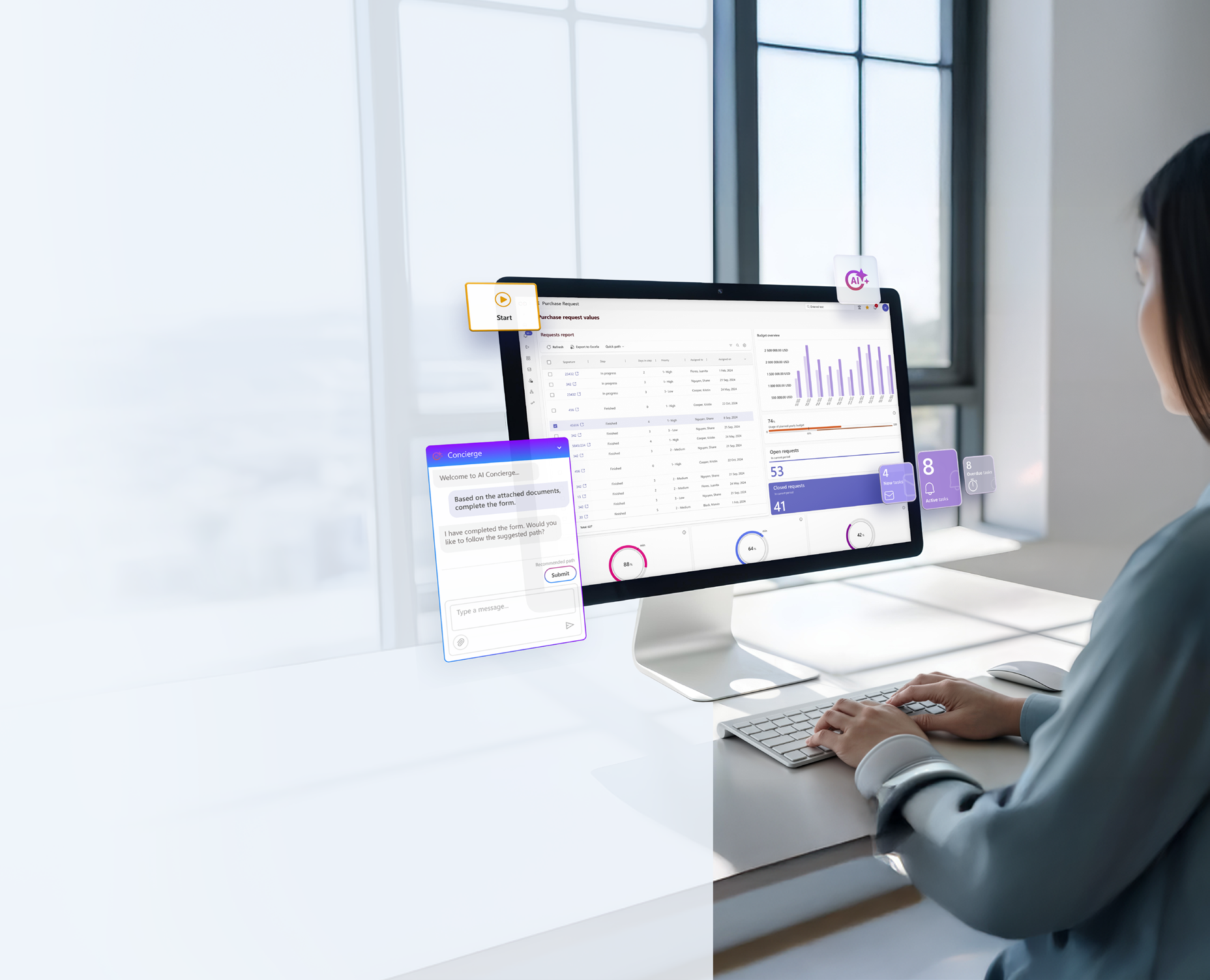
Useful AI starts with a business process and the information behind it. WEBCON brings those together so assistance can reach the people doing the work.
We work through data quality, access, model selection, service configuration, cost, and review points with your team. Available capabilities depend on the WEBCON version, configuration, and AI services selected.
Embed assistance in the applications people already use to register invoices, review documents, and resolve cases. One configured automation can support everyone using that process.
Use structured process information, relevant documents, and case history to give AI the context for the task. The quality of that information shapes the usefulness of the result.
Agree which models are used, what data they can access, where processing happens, and who reviews outputs. Manage usage scope and token costs while reducing reliance on unapproved tools.
Track handling time, manual effort, accuracy, and exceptions alongside AI consumption. Use evidence to decide which automations to expand, refine, or retire.
Use AI-assisted prototyping in Designer Desk to turn ideas into working examples that business and IT can refine together.
Personal AI assistance can help people find information, understand documents, and complete tasks within their business applications.
Configure AI agents and assisted automation under shared access, usage, and cost controls. SYNERGY helps your team build the skills to manage them.
Apply document understanding, content creation and validation, form assistance, data analysis, and case recommendations to specific business needs.
Extract invoice headers and line items, prefill forms from receipts or images, suggest cost allocations, and flag unusual amounts or possible duplicates for review. Apply the same approach to travel expenses.
Summarize terms, compare documents with templates, and highlight deviations or preliminary risk indicators. Ask questions in plain language and transcribe review notes to help reviewers prepare their decisions.
Classify and index documents, identify senders and urgency, recognize the language, and route work to the right team. Translate or validate content when the process calls for it.
Compare measurements against tolerances, surface batch trends and anomalies, and support review of photographic evidence. Suggest possible root causes and corrective actions using available history.
Suggest solutions from a knowledge base, draft and refine responses, and summarize a case’s progress. Sentiment analysis can help teams prioritize complaints that need attention.
Assist with self-service order entry, support initial business-partner research, and prepare status updates from process data. Route findings and exceptions to the people responsible for review.
WEBCON’s complaint-management example brings several AI capabilities into one workflow. SYNERGY can adapt this pattern around your customer commitments and approval rules.
Capture the request and supporting documents. AI can summarize, classify, and assess sentiment to help route the complaint.
AI can surface relevant history and suggest corrective actions. The case owner checks the evidence and decides what action is appropriate.
AI can draft a response using the case context. A responsible team member reviews and approves it before it is sent.
Use the findings to propose improvements, assign owners, and secure approval for measures intended to prevent the problem recurring.
Record the resolution and decision history. Review outcomes and recurring issues to improve the process over time.
We define where AI may assist, when a person must approve, and how exceptions are escalated. The workflow keeps those responsibilities and decisions visible.
SYNERGY helps select a suitable process, validate the data and AI outputs, enable your team, and review results after launch. As connected processes accumulate useful data, we can assess where further AI assistance makes sense.
You bring the business knowledge. We bring the experience to turn it into a working solution. Together, we create a clear path from the first conversation to continuous improvement.
We work with process owners and your IT team to understand the current workflow, where it stalls, and what a better outcome would look like.
Choose a focused first process with a clear owner and a meaningful business benefit.
We map the future workflow, agree how decisions are made, and shape an experience that business users can understand and use.
Architecture, access, integrations, and deployment choices are considered alongside the business process.
We configure the WEBCON application and build the agreed connections to your systems. Regular reviews keep the solution aligned with what your teams need.
We test real scenarios, including the exceptions, so the whole process holds together.
We guide user acceptance, prepare the rollout, and help people understand their new way of working.
Training, documentation, and an agreed transition to support help the application become part of everyday operations.
We stay involved as your processes, people, and priorities change. Resolve issues, refine what is live, and decide what to tackle next.
The next workflow builds on what we have learned together, with shared standards that help keep growth manageable.
One shared roadmap. Regular conversations. Clear decisions at each stage.
More about implementationYour business keeps changing. Your applications should keep up. SYNERGY can support what is live while helping you build what comes next.
Talk about ongoing supportApplication troubleshooting, issue resolution, and agreed platform maintenance, including coordination with WEBCON when needed.
Refine forms, approvals, reports, and integrations using feedback from the people who rely on them.
Prioritize the next processes and departments, using shared patterns and governance to keep applications connected.
Develop administrator and process-owner confidence through knowledge transfer, coaching, and collaborative delivery.
We can lead delivery or work alongside your internal resources. Support coverage, maintenance responsibilities, and enhancement work are agreed around your environment and priorities.
Think about the value of the platform after the first workflow goes live.
Read the article IMPLEMENTATIONA closer look at planning, integration, adoption, and the road ahead.
Read the article CONTINUOUS IMPROVEMENTWhy individual automations need a shared process management strategy.
Read the articleDownload the source guides for the automation approach, AI principles, and examples explored above.
Bring us the bottleneck, the spreadsheet, or the approval chain.
We’ll help you explore what comes next.